How can we help you?
Email Notification Options – Resident Portal
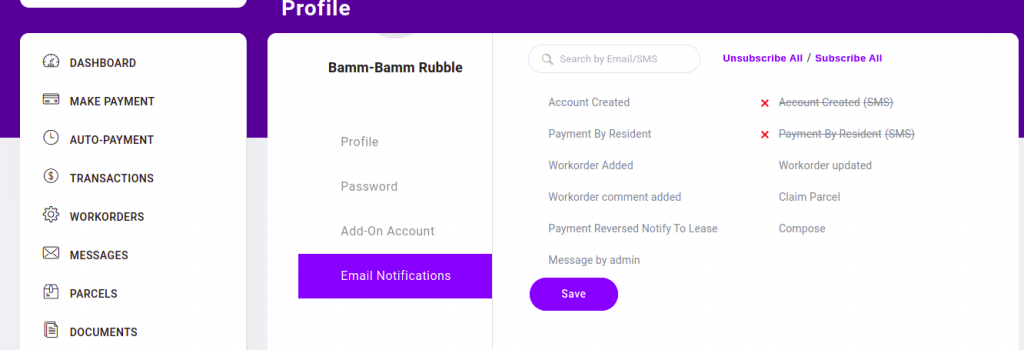
- Starting within the resident portal, click the dropdown arrow in the upper right hand corner next to residents name. Click on Profile.
- Then click on Email Notifications.
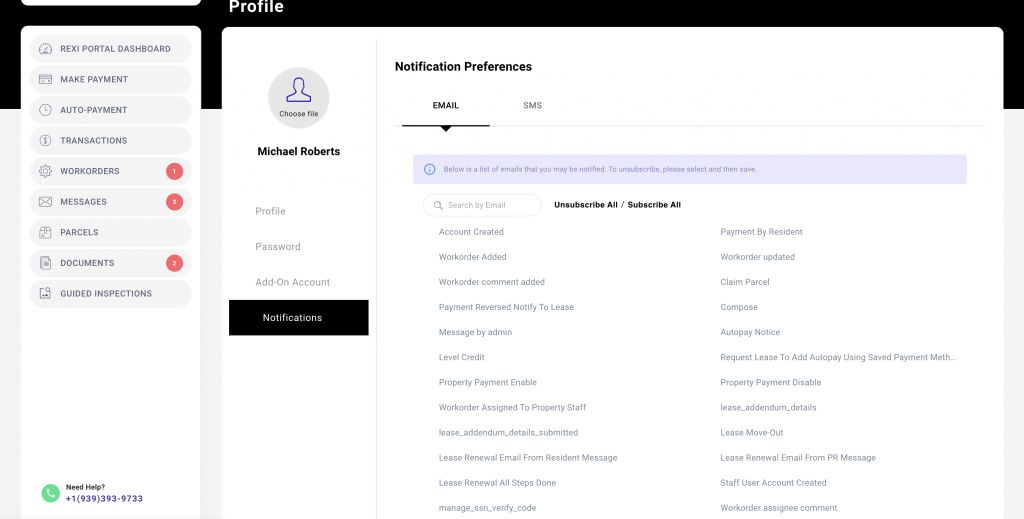
- From this page you can choose to Unsubscribe All, Subscribe All or customize your preferences to receive only the emails/ of interest.
Unsubscribe from within an email.
- There is an unsubscribe option from within emails/ sent.
- To unsubscribe to all emails from the property, locate the link in the email footer.
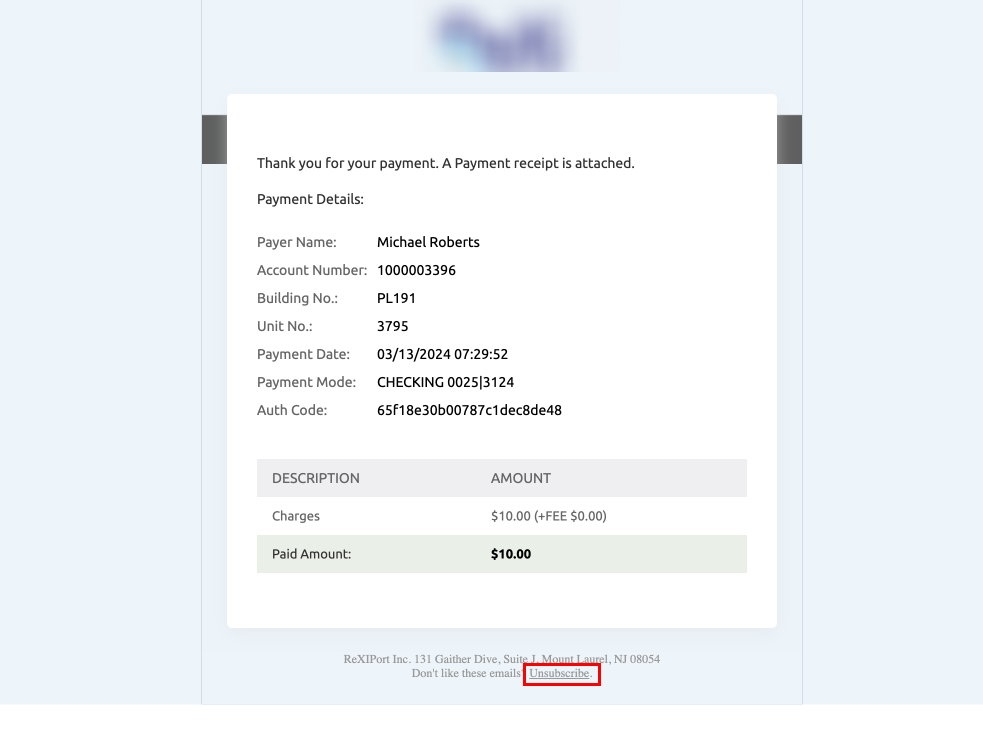
3. Click on unsubscribe. It will take you to a page similar to the one shown below.
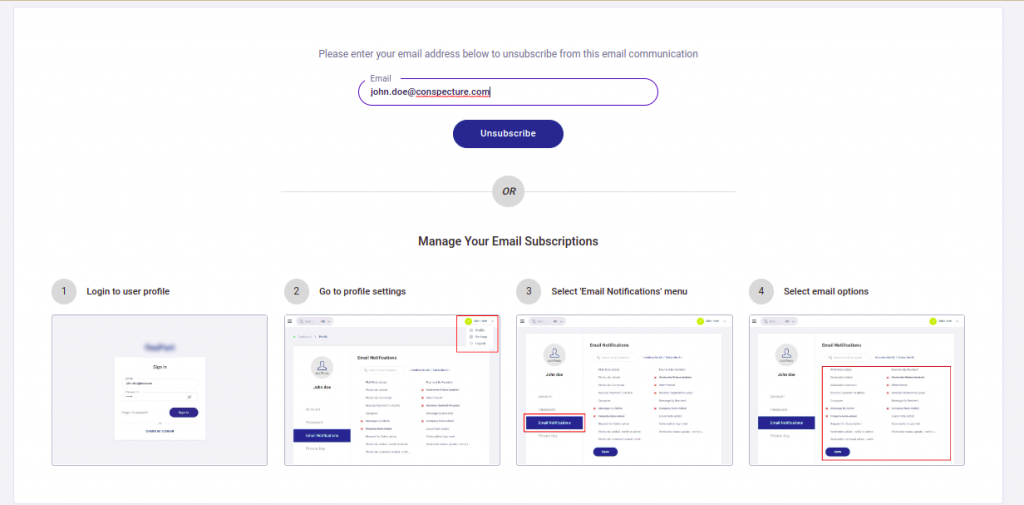
4. Enter your email address and then click on unsubscribe, to be removed from all emails sent by the property
Unsubscribe from within an SMS.
- SMS unsubscribe requires the same steps as email unsubscribe.
- Then click on the text to unsubscribe the SMS, you will not get SMS.